> ## Documentation Index
> Fetch the complete documentation index at: https://integrations.docs.commenda.io/llms.txt
> Use this file to discover all available pages before exploring further.
# Fresh Books
> Learn more about how to set up our Fresh Books integration.
In order to get started using your own credentials for our Fresh Books integration, you will need to first register your Fresh Books application. After that, you will need to enter your Client ID and Client Secret on the RootFi dashboard.
These steps are elaborated upon in detail below.
***
### Part 1: Register your Fresh Books application
1. Go to [https://my.freshbooks.com/#/developer/](https://my.freshbooks.com/#/developer/)
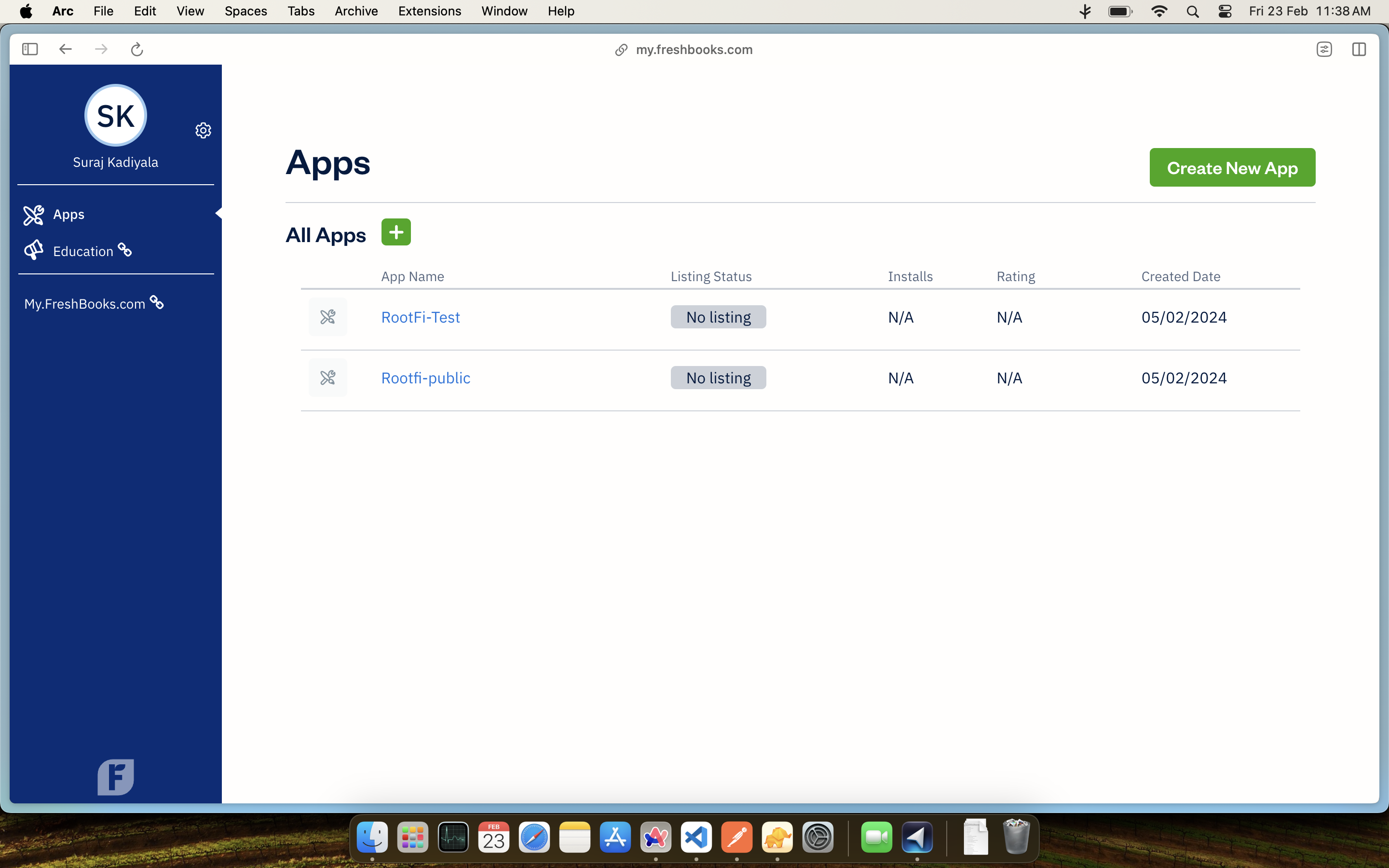
2. Log in with your FreshBooks account and select 'Create New App'.
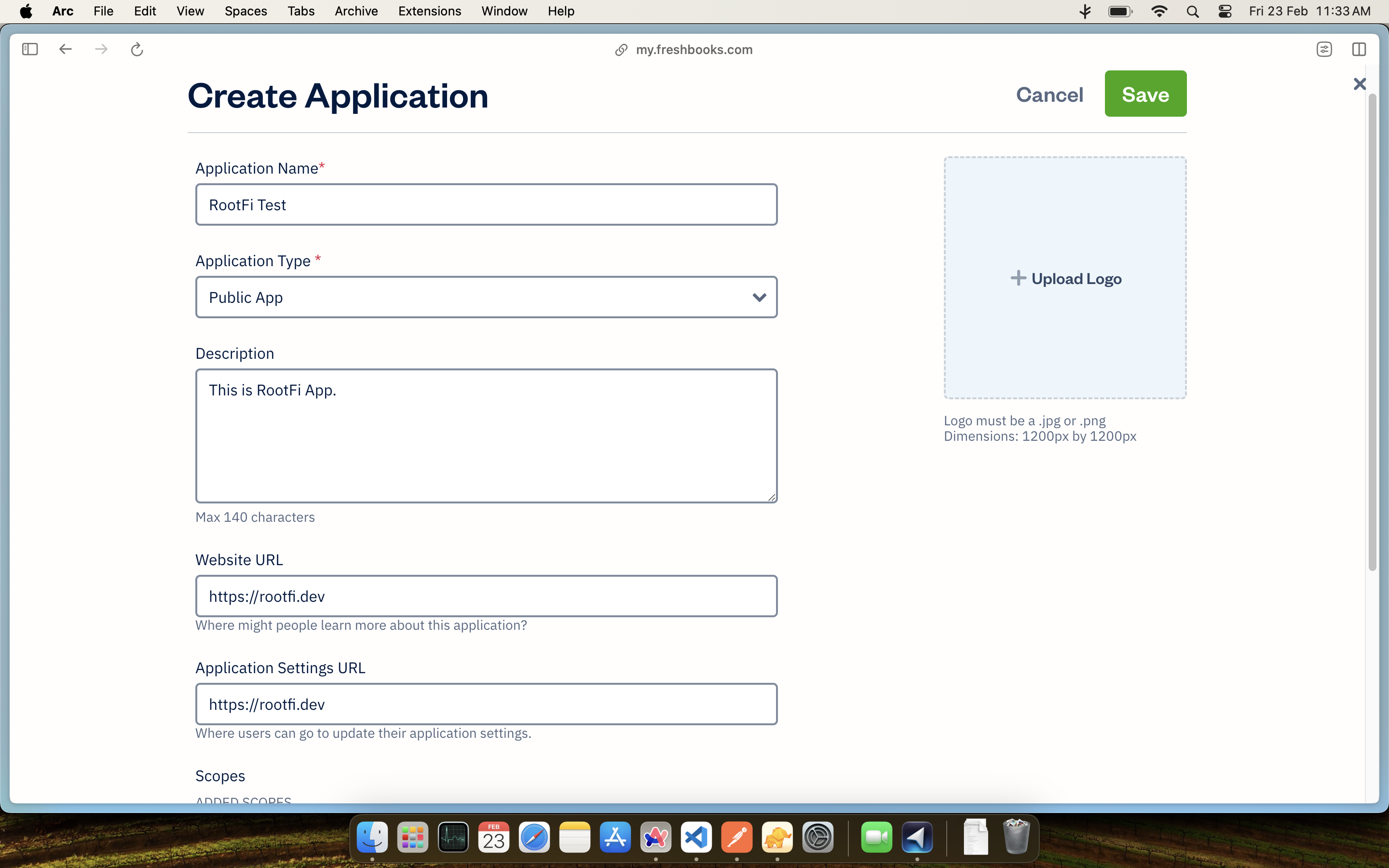
 3. Complete the app registration form.
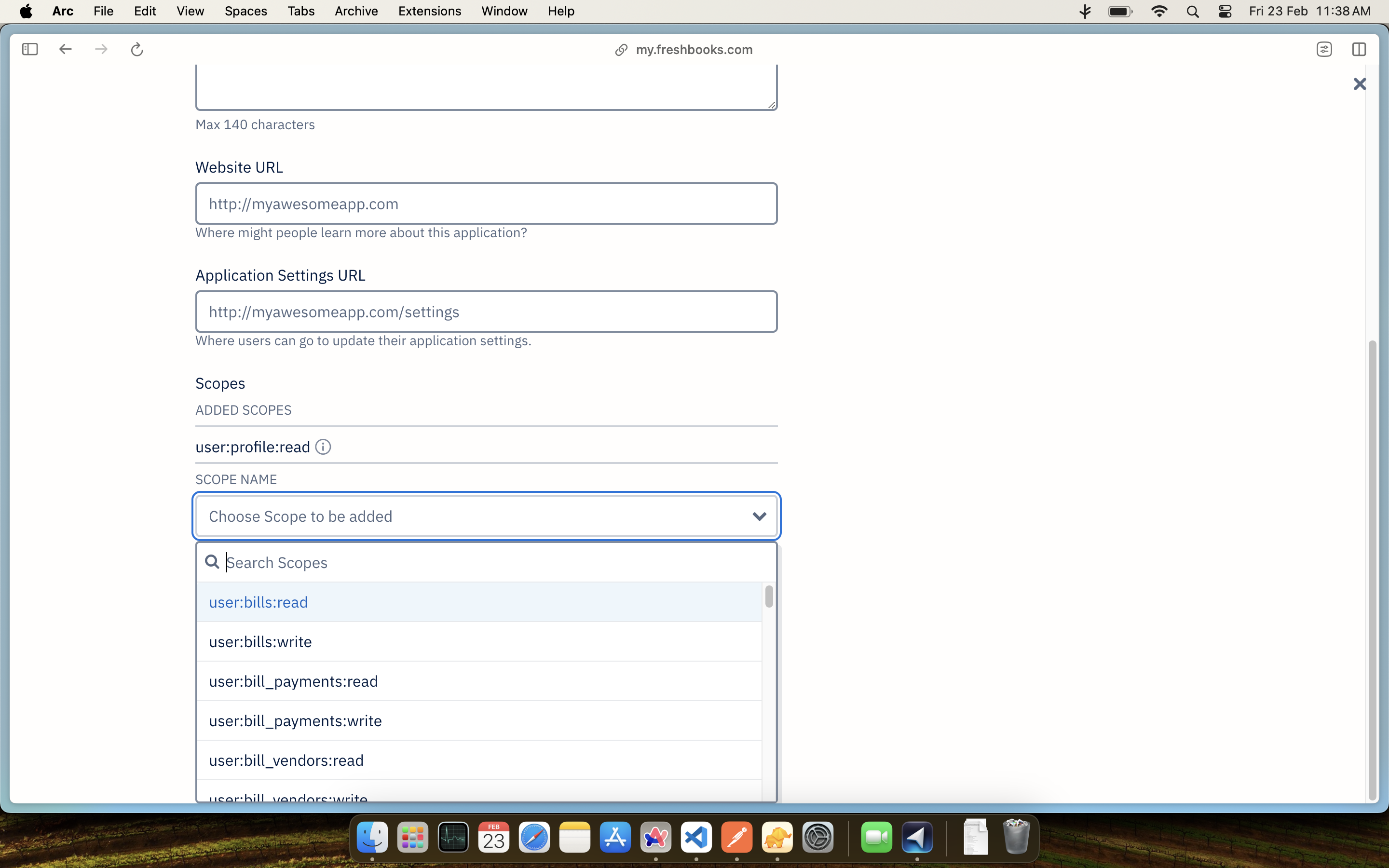
 4. Choose the necessary permissions (scopes) for your app.
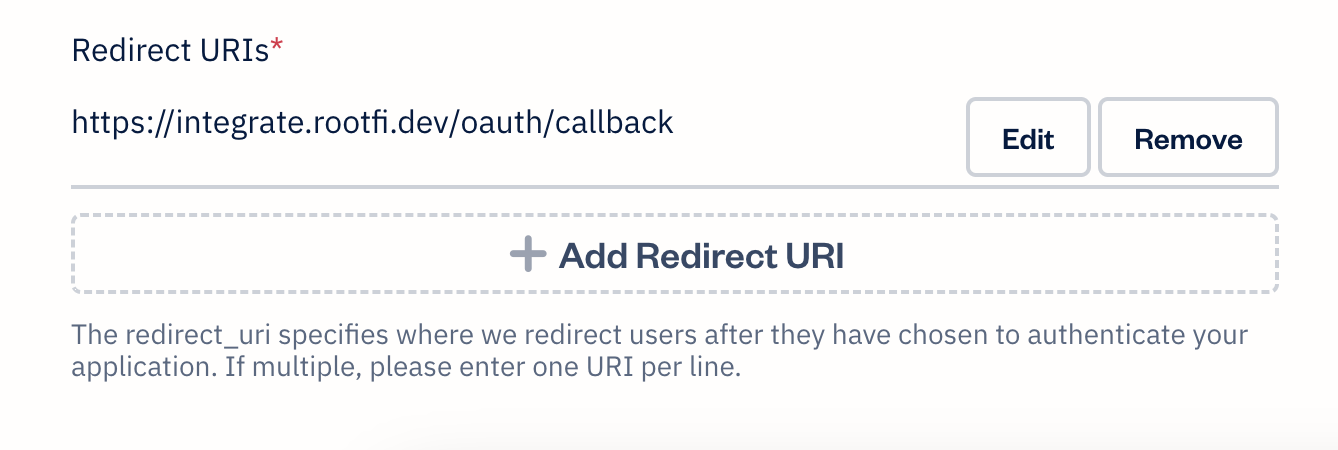
 5. Add the redirect URI: [ROOTFI CALLBACK URL](/api-reference/v3/overview/environments#callback-urls).
 6. Save your settings.
### Part 2: Enter Your Client ID and Client Secret on the RootFi Dashboard
1. Login to the RootFi dashboard
2. Select the 'Integrations' tab on the sidebar - here you will see a list of platforms you can integrate with
3. Click the 'Set Up' button which is present on the Fresh books card.
4. When the form opens up simply enter the 'Client ID' and 'Client Secret' which you generated on the Fresh API Console and click 'Save'
6. Save your settings.
### Part 2: Enter Your Client ID and Client Secret on the RootFi Dashboard
1. Login to the RootFi dashboard
2. Select the 'Integrations' tab on the sidebar - here you will see a list of platforms you can integrate with
3. Click the 'Set Up' button which is present on the Fresh books card.
4. When the form opens up simply enter the 'Client ID' and 'Client Secret' which you generated on the Fresh API Console and click 'Save'