> ## Documentation Index
> Fetch the complete documentation index at: https://integrations.docs.commenda.io/llms.txt
> Use this file to discover all available pages before exploring further.
# Syncing Data
> Learn how RootFi keeps your customers data up-to date
We offer two ways to sync data:
1. **Auto Sync**: Sync data based on specific frequencies decided by you and will be incremental.
2. **Manual Sync**: Manually trigger a data sync. Can be incremental or full syncs, based on your needs.
| | **Auto** | **Manual** |
| -------------------- | :------: | :--------: |
| **Incremental** | ✅ | ✅ |
| **Full** | | ✅ |
| **Sync from X Date** | | ✅ |
Depending on your needs, data can synced be in three modes:
1. **Incremental Sync (default)** - Only syncs the data that has been changed since the last sync.
2. **Full Sync (via API)** - Syncs the full data from the underlying platform. You should trigger a full sync only when you want to remove all the data that has been deleted from the platform.
3. **Sync from a specific date (via API)** - Syncs the data from a specific date. This is useful when your customers have vast amounts of data and you only want to sync particular data models from a specific date.
**Sync only the data you need**
We suggest performing a sync only for Data Models you need, to not exhaust the underlying platform's rate limits, save sync time, and limit exposure of sensitive data .
## Auto Sync
The Auto Sync feature is an automation where RootFi checks for updates and incrementally syncs data for all your active connections, at a regular frequency. This ensures that the data for all your customers always up-to-date and accurate.
[RootFi's Sync Config](/documentation/concepts/sync-config) allows you to configure Sync frequency based on the specific type of data your application requires. Choosing an appropriate Auto Sync frequency for each data model in terms of priority is vital to ensure a smooth syncing process.
**Why is setting an appropriate frequency for each data model important?**
Setting an appropriate frequency for each data model matters because of the underlying rate limits of the platform.
If your customers have a lot of data, even if you set all the data models to sync hourly the syncing will be automatically paused and restarted based on the the platforms rate limits so you may not get real time data of the data models you care about. Have a high sync frequency may also disrupt writing data to the platform since those APIs also consume the API quota of the underlying platform.
## Manual Sync
### Via the Dashboard
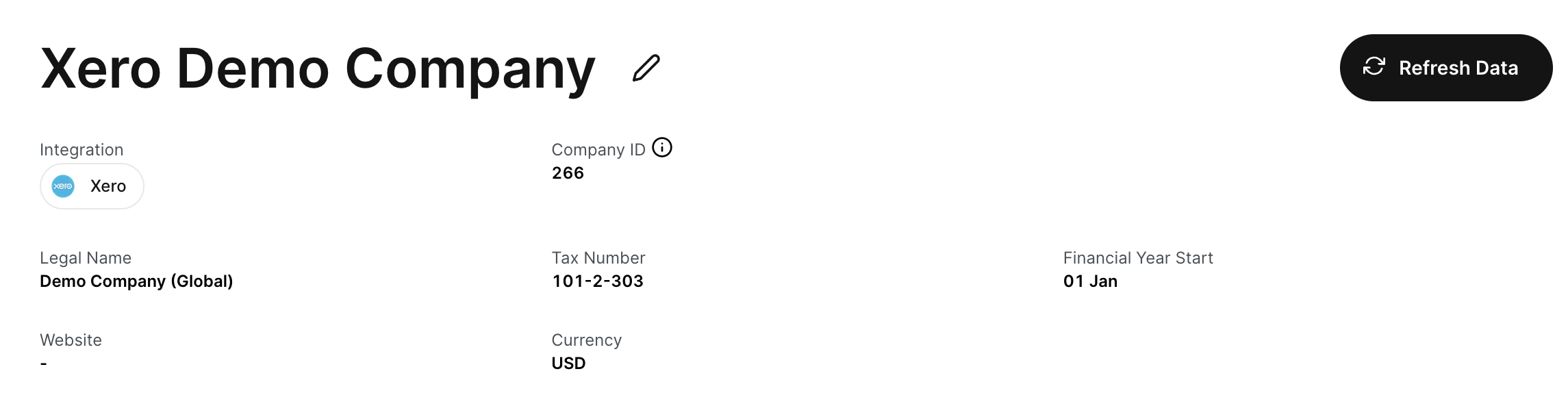
You can trigger an **manual incremental sync** of the data for your customer from the dashboard by clicking the Refresh Button on the top right of the company page. All the data models that are enabled will be synced.
 ### Via API
You can manually trigger a sync from your application through our [Sync API](/api-reference/v3/core/sync/sync-data). Our sync API offers more control over when and how you want to sync the data for each company.
By default, the sync is an incremental sync. You can pass `full_sync: true` to toggle a full sync. This will sync all the data from the underlying platform.
You can also choose what Data Models you want to sync by passing a list of Data Models in the `data_models_to_sync` parameter.
Furthermore, if you only want to sync data from a specific date, you can pass the `sync_from` parameter with the date from which you want to sync from for each Data Model in the `data_models_to_sync` parameter.
Eg: `data_models_to_sync: [{data_model: "INVOICES", sync_from: "2023-01-01"}]`
**Syncing from a specific date**
Certain base data models like [Accounts](/api-reference/v3/accounting/accounts/overview) and [Contacts](/api-reference/v3/accounting/contacts/overview) should always be synced in their entirety. This is
because the data in these data models are often linked to other data models like [Invoices](/api-reference/v3/accounting/invoices/overview) and [Bills](/api-reference/v3/accounting/bills/overview) and
syncing from a specific date may cause data inconsistencies.
### Via API
You can manually trigger a sync from your application through our [Sync API](/api-reference/v3/core/sync/sync-data). Our sync API offers more control over when and how you want to sync the data for each company.
By default, the sync is an incremental sync. You can pass `full_sync: true` to toggle a full sync. This will sync all the data from the underlying platform.
You can also choose what Data Models you want to sync by passing a list of Data Models in the `data_models_to_sync` parameter.
Furthermore, if you only want to sync data from a specific date, you can pass the `sync_from` parameter with the date from which you want to sync from for each Data Model in the `data_models_to_sync` parameter.
Eg: `data_models_to_sync: [{data_model: "INVOICES", sync_from: "2023-01-01"}]`
**Syncing from a specific date**
Certain base data models like [Accounts](/api-reference/v3/accounting/accounts/overview) and [Contacts](/api-reference/v3/accounting/contacts/overview) should always be synced in their entirety. This is
because the data in these data models are often linked to other data models like [Invoices](/api-reference/v3/accounting/invoices/overview) and [Bills](/api-reference/v3/accounting/bills/overview) and
syncing from a specific date may cause data inconsistencies.