> ## Documentation Index
> Fetch the complete documentation index at: https://integrations.docs.commenda.io/llms.txt
> Use this file to discover all available pages before exploring further.
# WooCommerce
> Learn more about how to set up our WooCommerce integration.
In order to get started using your own credentials for our WooCommerce integration, you will need to first register your Woocommerce application. After that, you will need to enter your Client ID and Client Secret on the RootFi dashboard.
These steps are elaborated upon in detail below.
***
### Part 1: Register your WooCommerce application
1. Login to your dashboard and go to 'Settings' and navigate to the 'Advanced' tab.
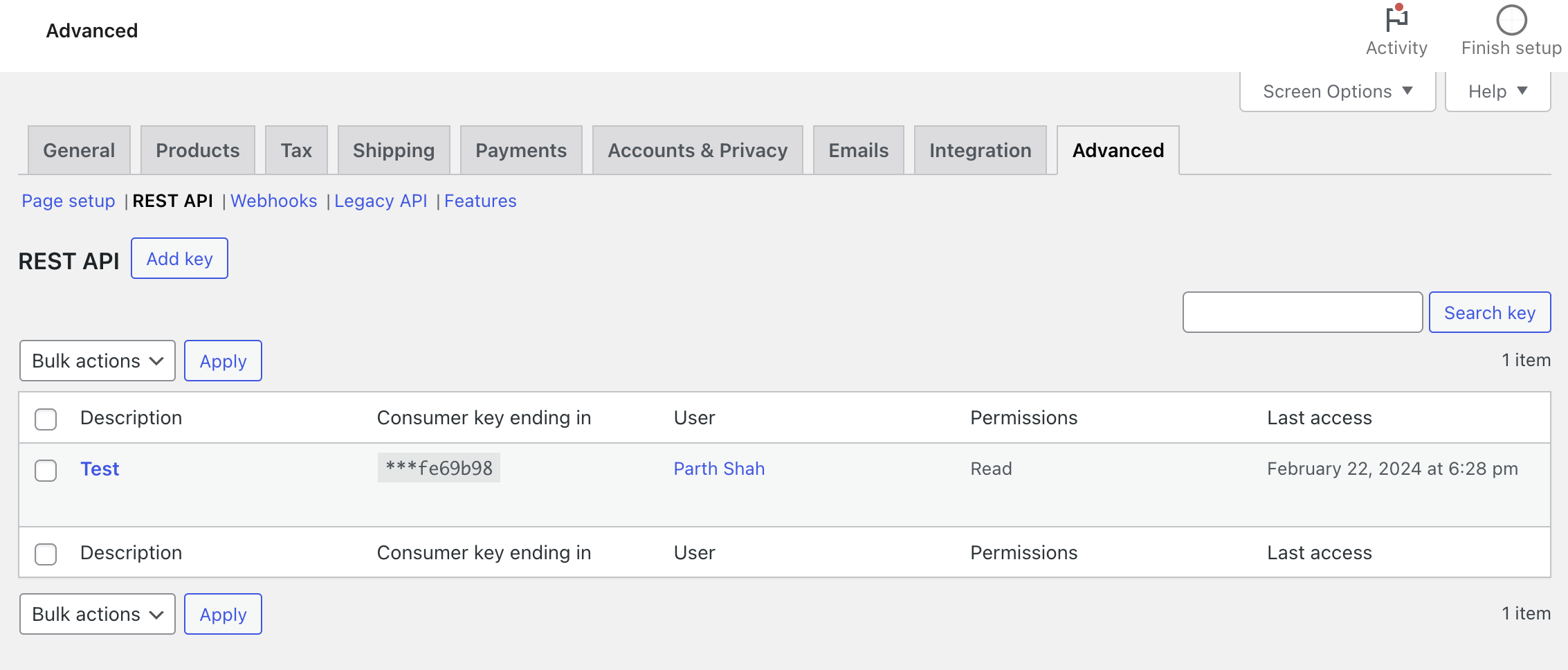
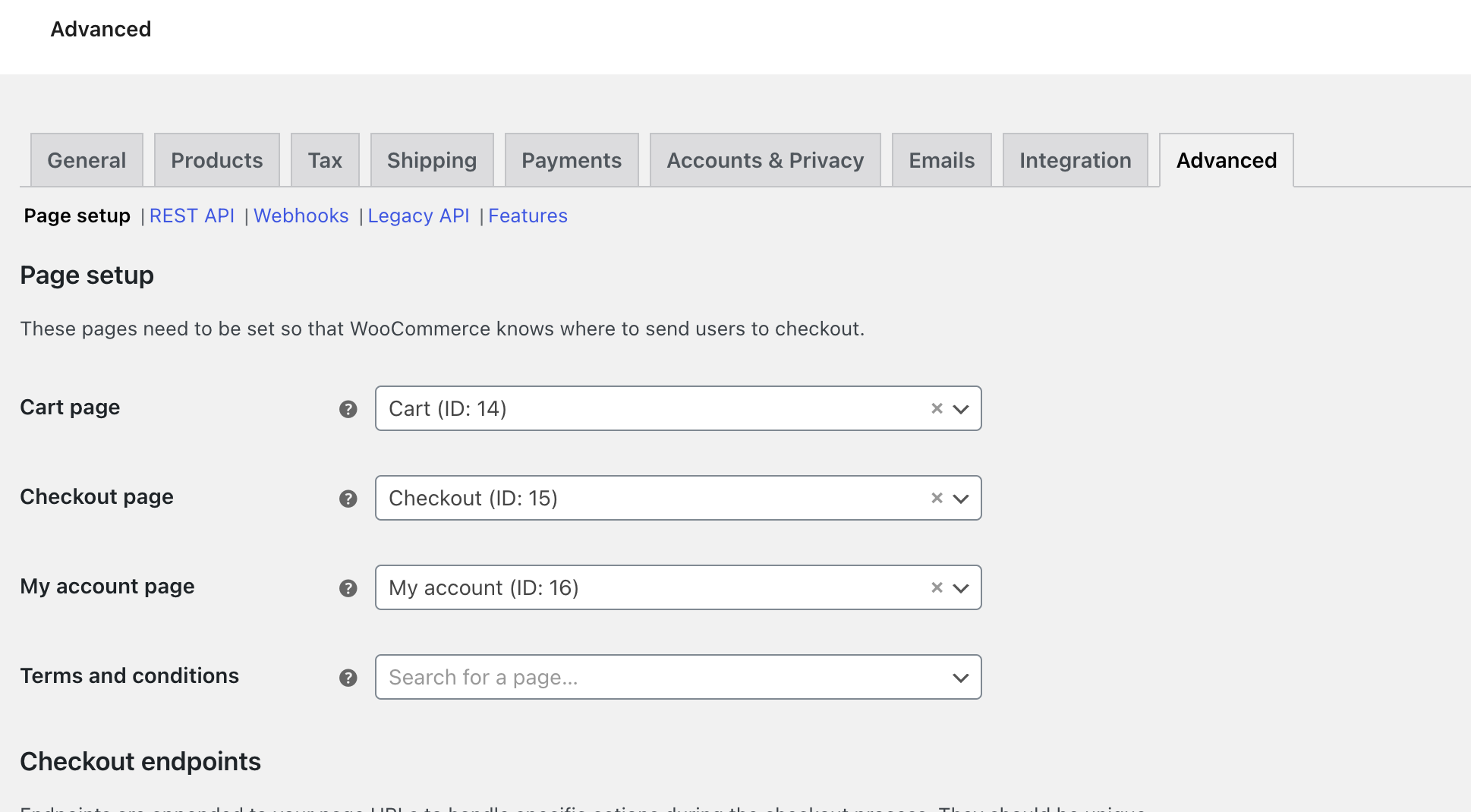 2. Click on 'Pagesetup' -> 'Rest API'
3. Click add key
2. Click on 'Pagesetup' -> 'Rest API'
3. Click add key
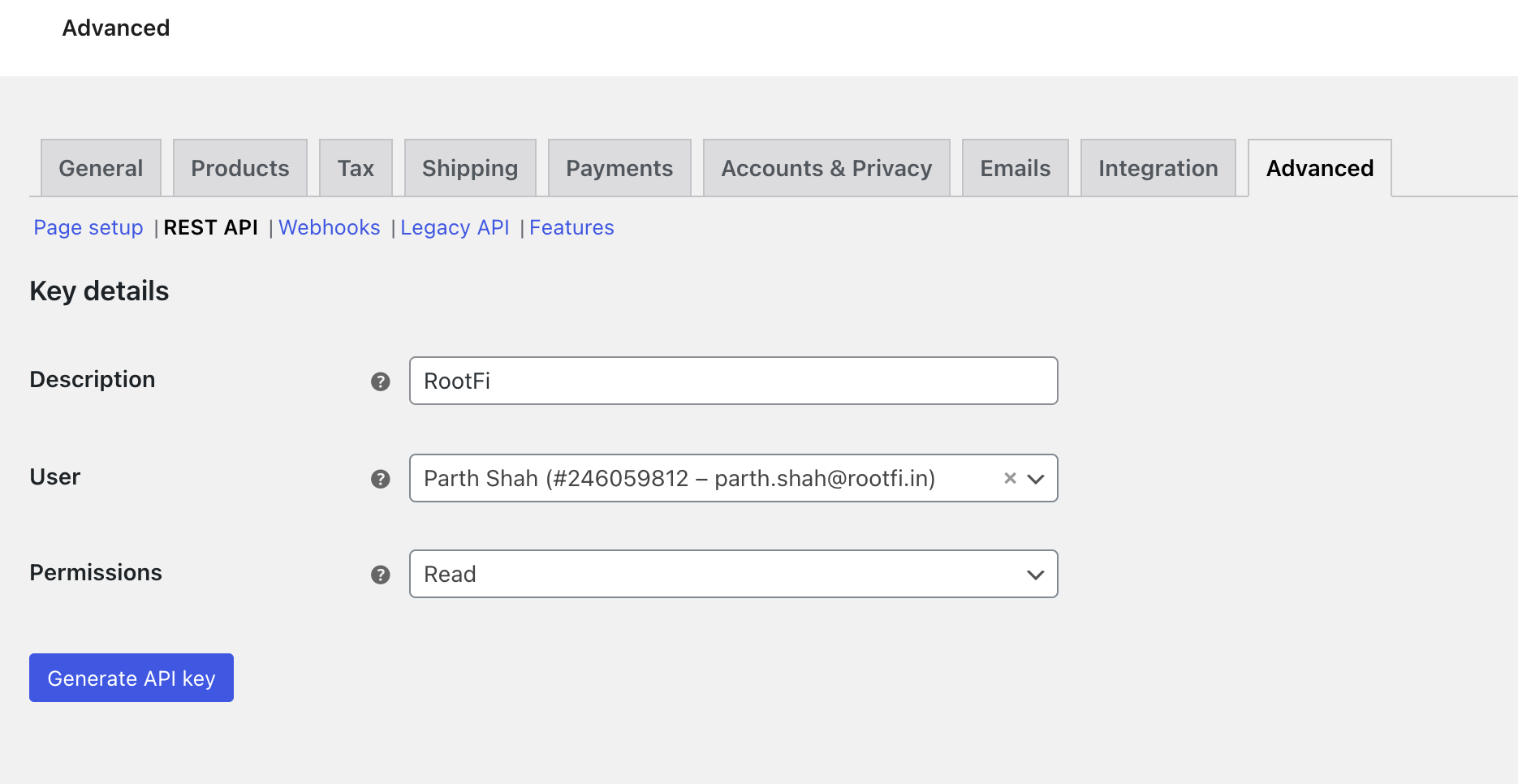
 4. Fill up the form.
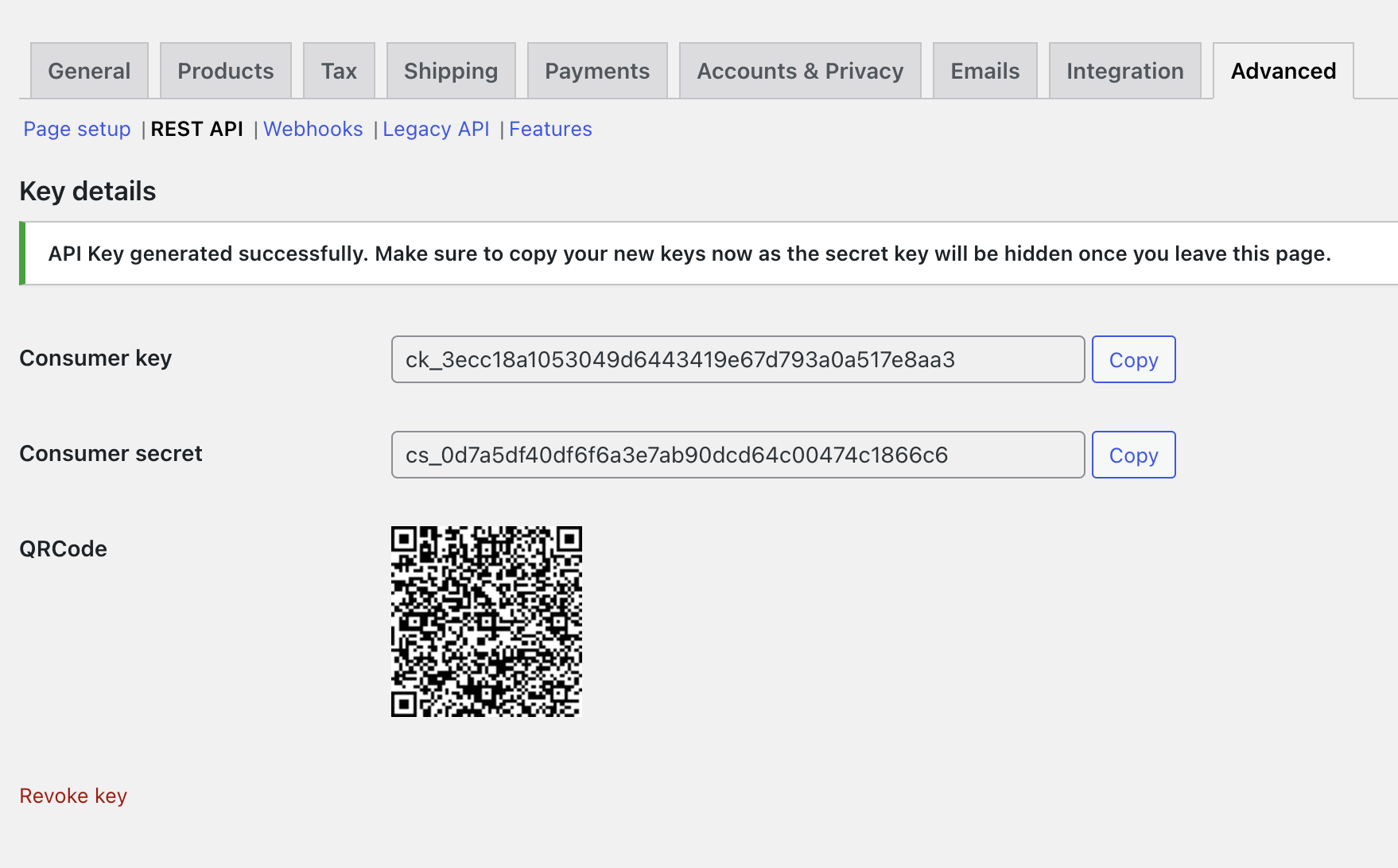
 5. Click on 'Generate API Key' to view your credentials.
 ### Part 2: Setting up the integration Using RootFi Connect
When your customer is connecting their WooCommerce account to RootFi, they will need to enter their WooCommerce credentials on RootFi's invite link setup.
They will need to fill the following information:
1. **Client Id** The client id generated in the above steps.
2. **Client Secret** The client secret generated in the above steps.
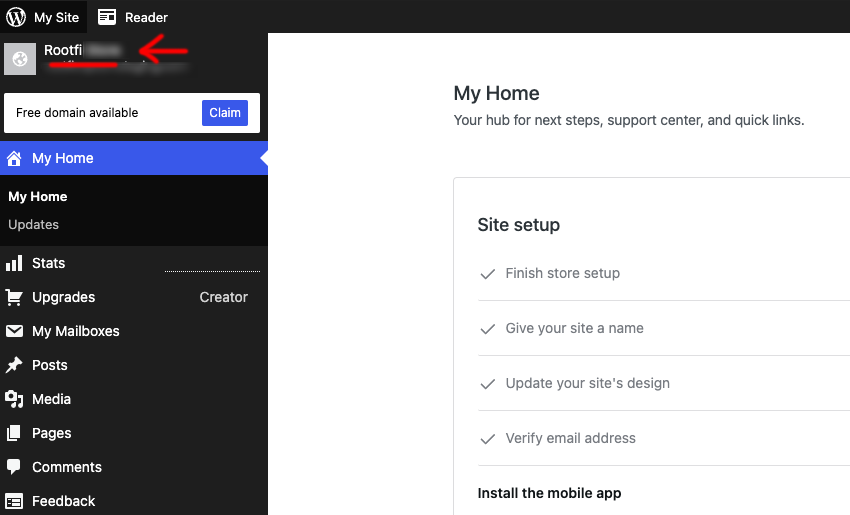
3. **Store Name**: The name of the you store. You can find this in the top right corner of your WooCommerce dashboard.
### Part 2: Setting up the integration Using RootFi Connect
When your customer is connecting their WooCommerce account to RootFi, they will need to enter their WooCommerce credentials on RootFi's invite link setup.
They will need to fill the following information:
1. **Client Id** The client id generated in the above steps.
2. **Client Secret** The client secret generated in the above steps.
3. **Store Name**: The name of the you store. You can find this in the top right corner of your WooCommerce dashboard.