

Part 1: Get API Key
- Login to your Rillet dashboard and go to Settings.
- Under Organization, select ‘API Access’. Click ‘Create API key’, enter a name for the key and copy the generated key.
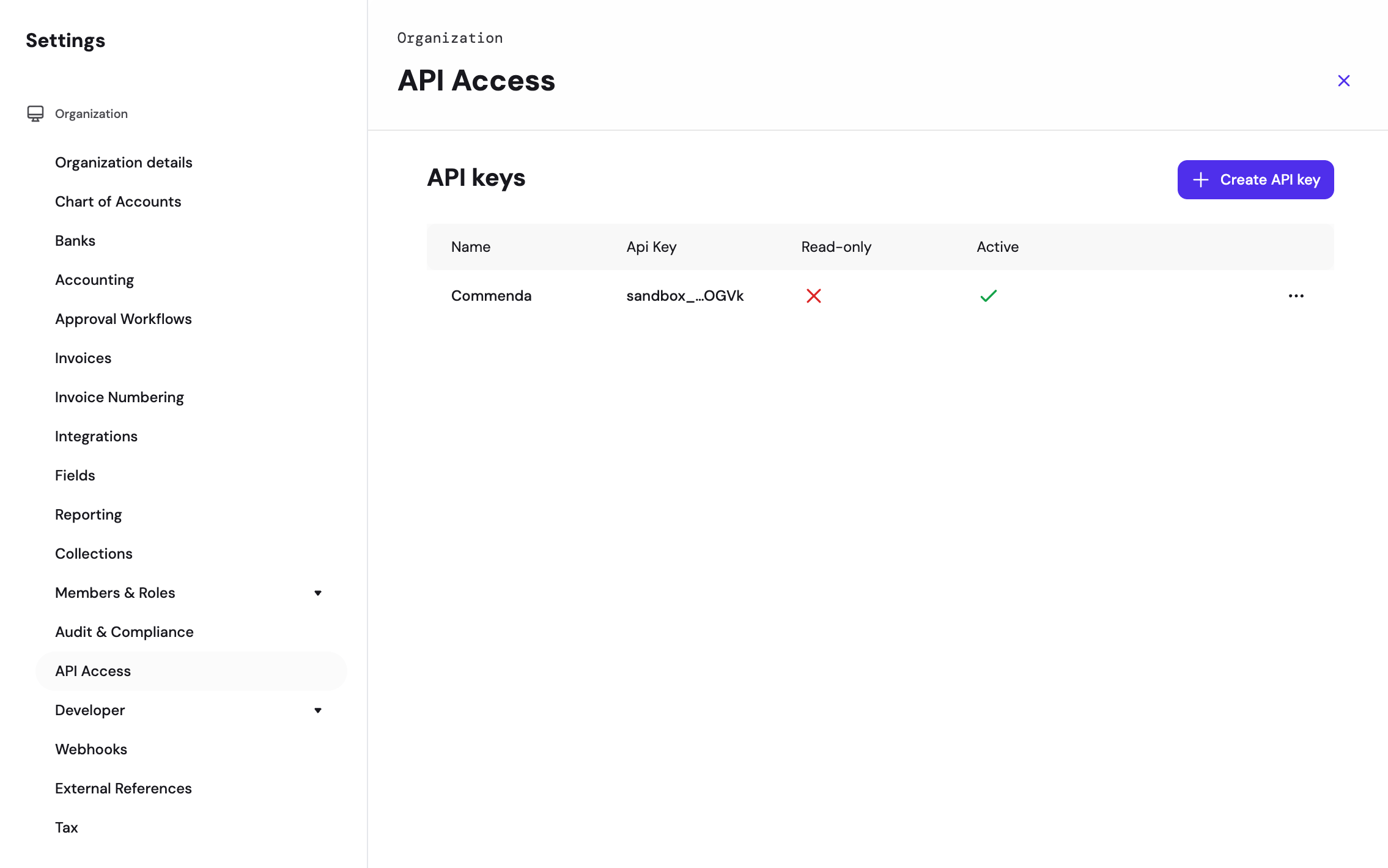
The API key must be Active, and must not be Read-only if you intend to write data back to Rillet through RootFi.
Part 2: Setting up the integration Using RootFi Connect
When your customer is connecting their Rillet account to RootFi, they will need to enter the following on RootFi’s invite link setup:- API Key: The key generated in the above steps.
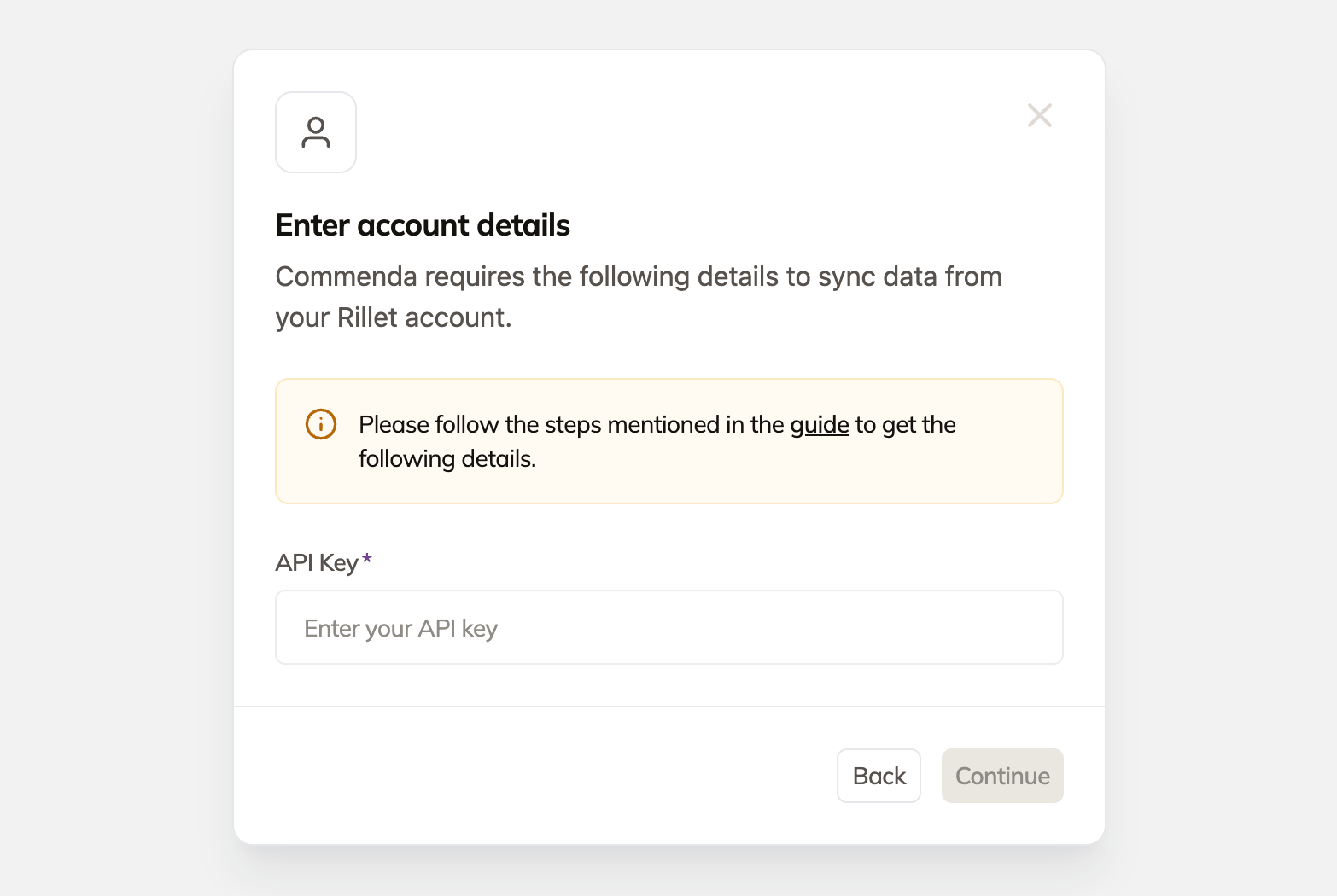
organization_id connection variable. If the key has access to a single subsidiary, it is selected automatically and the connection completes right away.